Before tuning everything, check the Mistfall Hunter system requirements and make sure the game is installed on an SSD if possible.
Need to share what you tested? Open the Mistfall Hunter performance checklist, check each step, and copy the result into a support or community thread.
If the discussion is specifically about DLSS, FSR, TSR, native rendering, NVIDIA Smooth Motion, or frame generation, use the focused Mistfall Hunter upscaler and frame generation test instead of changing the whole preset.
If the same area gets smoother on a second pass, use the Mistfall Hunter shader stutter and cache warmup test before changing more settings.
What the August 15 server update changes
In the official Server Stutter Optimization Update, the developers said one cause of recently reported intermittent stuttering, lag, and character teleporting was cloud-server CPU hyper-threading. Server configuration adjustments were rolled out across all servers on August 13 and 14, and the team's monitoring showed those stutters occurring less frequently.
Fast test order
- Turn ray tracing off if the option is enabled.
- Switch between fullscreen and borderless fullscreen, then keep the smoother mode for all later tests.
- Set a stable FPS cap such as 60 or 120 for diagnosis, even if the menu shows a much higher number.
- Test VSync on and off with the same FPS cap.
- Disable frame generation, NVIDIA Smooth Motion, or similar interpolation features while testing stutter.
- Compare DLSS, FSR, TSR, and native resolution in the same location, changing only one setting at a time.
- Replay the same route after a restart if the problem appears only after a long session.
Match the symptom to the first test
| Symptom | First test | Likely read |
|---|---|---|
| High FPS but camera turns feel uneven | Stable FPS cap plus VSync test. | Frame pacing is more likely than raw GPU shortage. |
| Stutter when entering new rooms or zones | Run the same path twice without changing settings. | Shader, streaming, or cache behavior may be involved. |
| Combat effects cause spikes | Lower effects, shadows, post-processing, and reflections one at a time. | Expensive combat visuals may be the trigger. |
| Stutter gets worse after a few hours | Restart the game, repeat the route, and check heat, VRAM, overlays, and recording tools. | Long-session pressure may be part of the issue. |
| Upscaling improves FPS but motion still feels bad | Compare DLSS / FSR / TSR / native with frame generation off. | Average FPS improved, but frame-time consistency did not. |
| FPS cap changes nothing | Repeat the same route after a restart, then compare first pass and second pass. | Shader/cache or streaming behavior may be involved; do not keep lowering every setting. |
| Freezes every 1–2 minutes | Record the interval, route, overlays, and whether the hitch repeats after restart. | A repeatable interval needs a report, not a claim that one graphics option is the cause. |
| Lag or character teleporting affects the run | Record region, UTC time, map, and whether teammates saw it after the August 13–14 server changes. | The official update confirms a server-side cause for some reports; local graphics tweaks cannot prove or fix that case. |
Do not change everything at once
The fastest way to get lost is to change resolution, upscaler, VSync, shadows, effects, frame generation, and fullscreen mode in one pass. Keep a small test route, change one variable, then write down whether the camera turn, first combat contact, and traversal into a new area felt smoother.
Laptop and high-end PC notes
- High-end laptops can still stutter from power limits, heat, overlays, or frame generation behavior.
- Use the laptop's high-performance power mode before testing.
- Close capture overlays and browser video tabs during the first diagnostic run.
- Keep texture quality until VRAM pressure is likely; lower shadows/effects first.
- If fans ramp hard and stutter appears later, test a lower FPS cap to reduce heat and power swings.
Visual reference
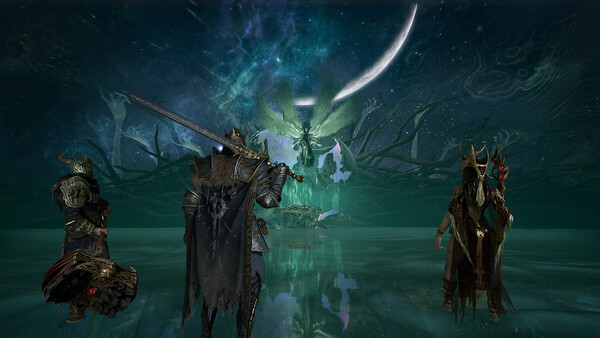
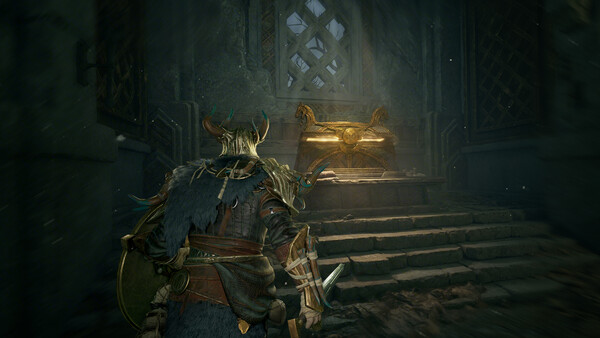
Use the official screenshots below to decide what not to sacrifice. In an extraction ARPG, readable silhouettes, combat effects, and traversal spaces matter more than maximum shadow or particle quality.
Source context
This page combines the August 15 official server-side update with public Mistfall Hunter discussion around high FPS but uneven motion, especially fullscreen mode, VSync, ray tracing, upscalers, and frame generation. It separates confirmed server context from a repeatable local troubleshooting sequence; neither is presented as a universal fix.
- Official August 15 Server Stutter Optimization Update
- Public Steam stuttering discussion
- Official Mistfall Hunter Steam page
- Mistfall Hunter system requirements and SSD prep
- Full Mistfall Hunter best settings prep
- Mistfall Hunter DLSS, FSR, TSR, and frame generation test
- Mistfall Hunter shader stutter and cache warmup test
- Copyable Mistfall Hunter performance checklist
FAQ
Why does high FPS still feel like stutter?
Average FPS can hide frame-time spikes. A short spike during a camera turn, asset load, hit effect, or traversal moment can feel bad even while the average number stays high.
Should I use DLSS, FSR, or TSR?
Test each upscaler separately in the same area. If the average FPS rises but camera motion still feels uneven, use a stable FPS cap or compare native resolution with lower effects.
Should I keep frame generation on?
Turn frame generation off while diagnosing stutter. After you find a stable base preset, test frame generation again as a separate step.
Is every stutter caused by my PC settings?
No. The August 15 official update confirms that some intermittent lag and character teleporting came from a cloud-server CPU configuration issue. The August 13–14 changes reduced the frequency, but the developers said optimization remains ongoing.
Is this a confirmed fix for every PC?
No. The current scope is symptom triage and one-variable testing. A system-specific conclusion requires hardware, driver, settings, route, and repeat-run evidence.